
On iPhone, iPad & Android
Every gift, without the guesswork.
Birthdays, holidays, Secret Santa — share wish lists with the people you love, claim what you’re buying, and never double up again. The surprise stays a surprise.


Private by default · Lists for kids, too · Reminders before every occasion
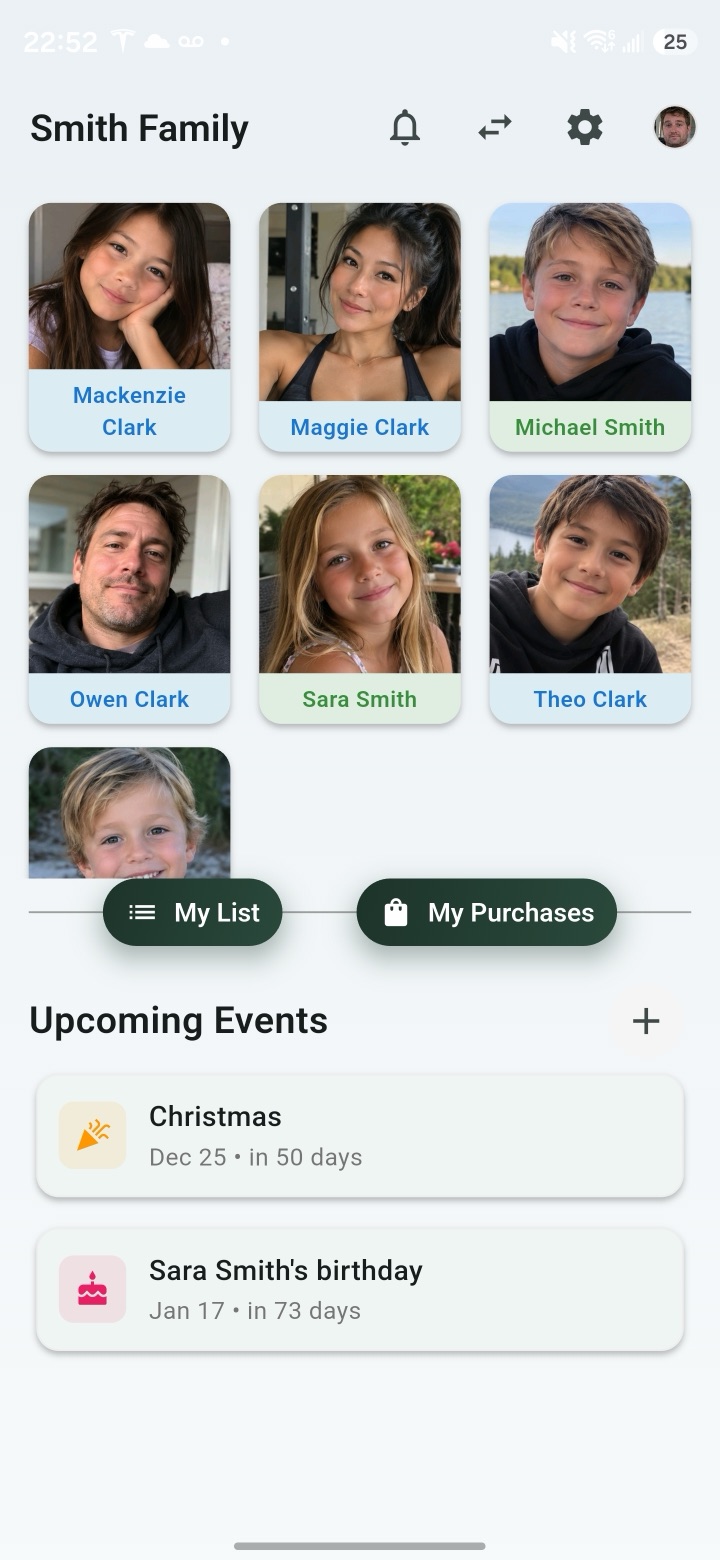
Who wants what. Who’s getting it.
The Giving List answers the two questions every gift-giver has — and keeps the answer away from the person opening the present.
-
Shared wish lists
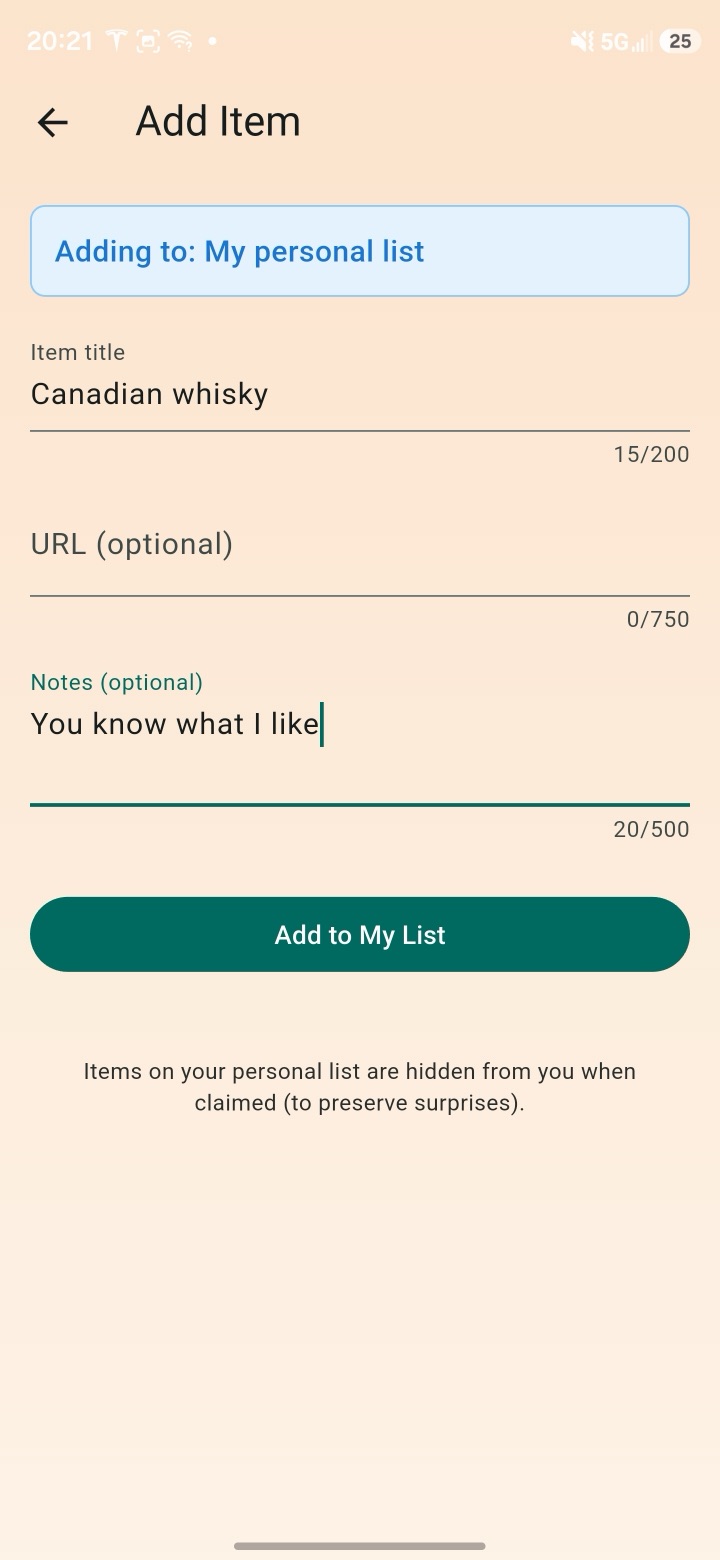
Add what you’d love, with links and notes. Everyone in your group can see it — no more guessing.
-
Claim, quietly
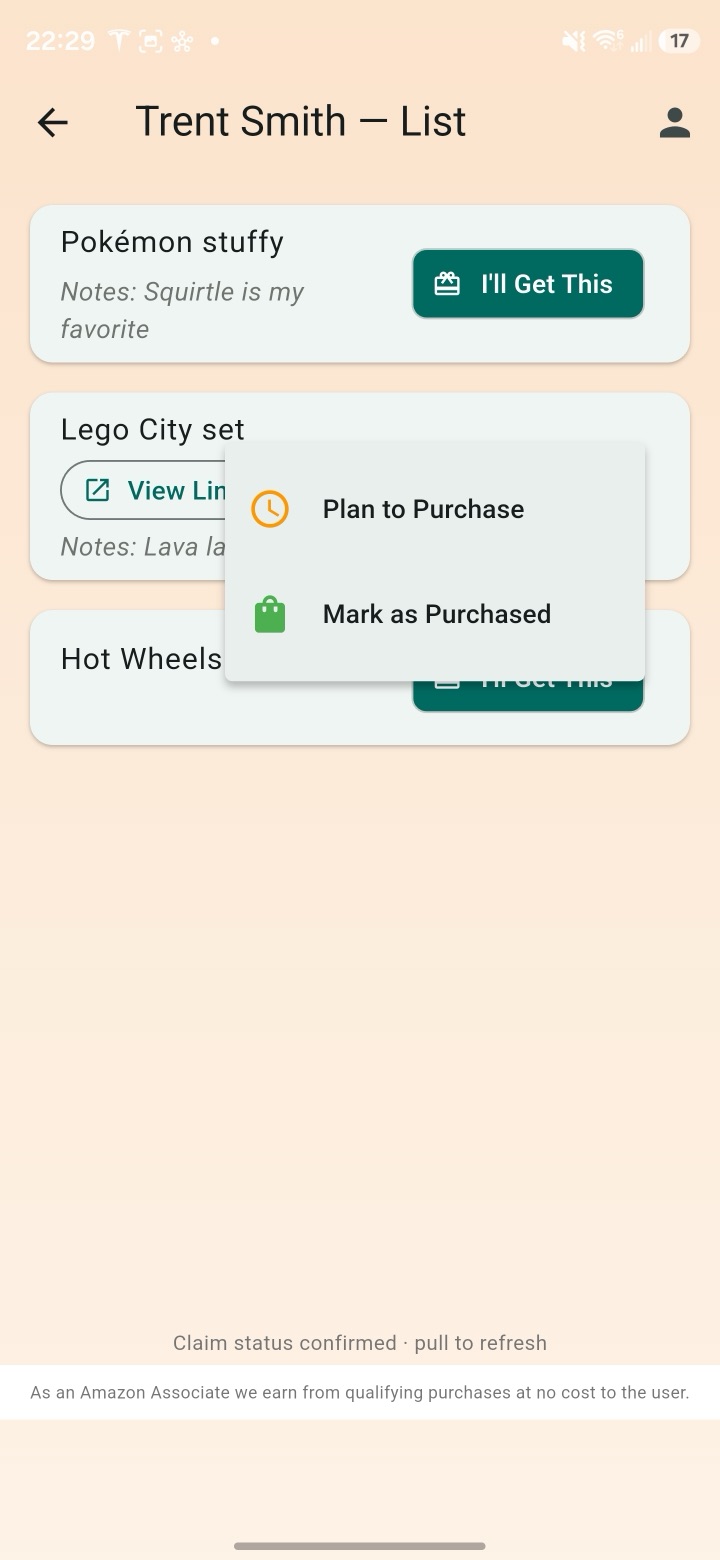
Tap “I’ll Get This” and it’s spoken for. Everyone else sees it’s covered — the recipient never does.
-
A group for every circle
Family, friends, the office. Each group gets its own members and its own lists.
-
Reminders & nudges
Birthdays and holidays show up before they sneak up — and a gentle nudge keeps everyone’s lists current.
The claim
Two aunts. One sweater. Never again.
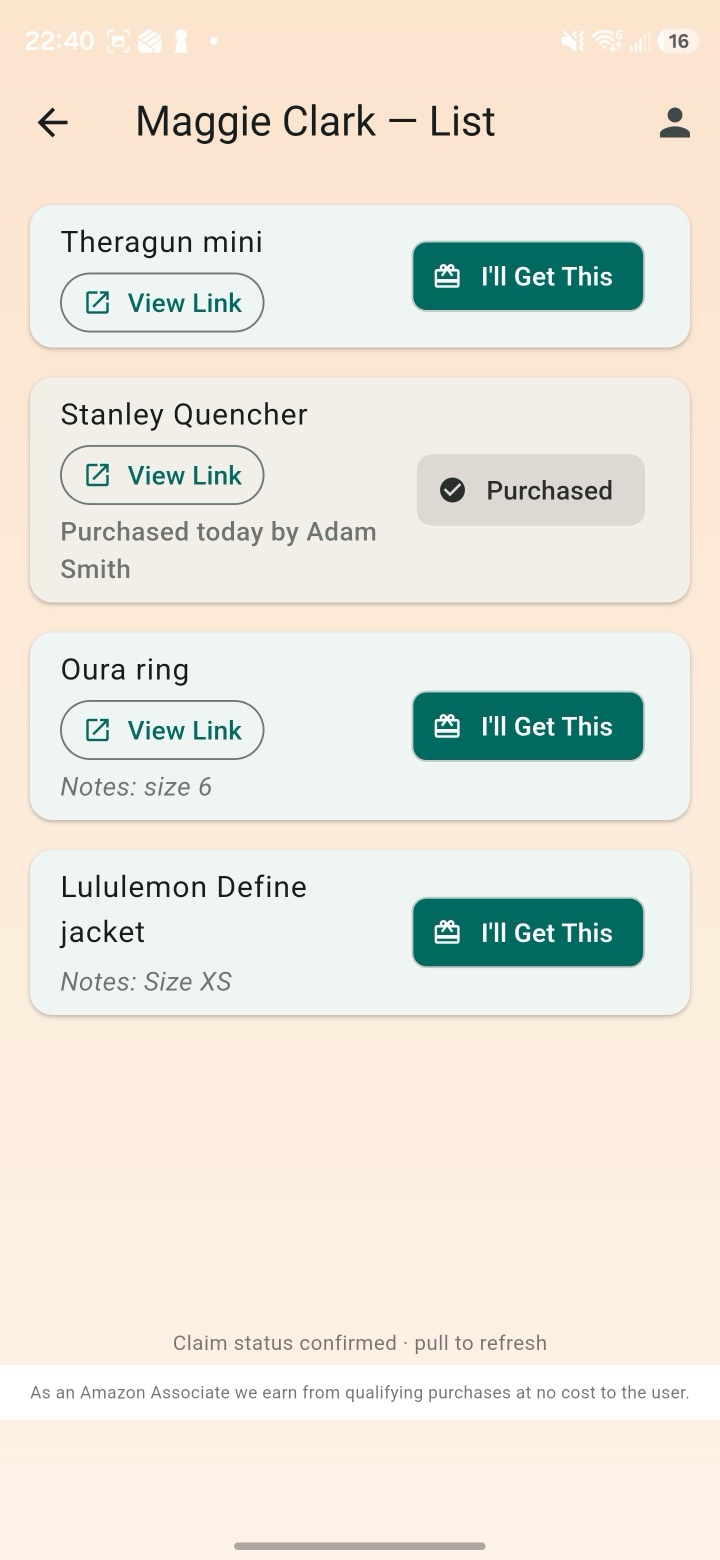
When you decide to buy something, claim it. It’s marked as covered for everyone in the group — without telling the person whose list it is. No group-chat detective work, no awkward returns.
Available · In progress · Purchased — at a glance
Built for gifts. Nothing else.
Spreadsheets get messy and text threads get lost. The Giving List does one job, properly.
Everything a gift-giver needs
- Wish lists with links, notes and price ranges
- Claims that keep the surprise a surprise
- Events and reminders for every occasion
- Lists for kids, managed by their parents
None of the noise
- Public profiles or follower counts
- Selling your data to brokers
- Guessing who already bought what
- “Did anyone get Grandma anything?” texts
Set up in a few minutes.
-
1
Make your list
Add the things you’d love — links, notes, price ranges. One list, or one per occasion.
-
2
Invite your people
Share a link or code. Family and friends join your group and see your lists.
-
3
Claim and relax
Everyone claims what they’re buying. No duplicates, no spoiled surprises.
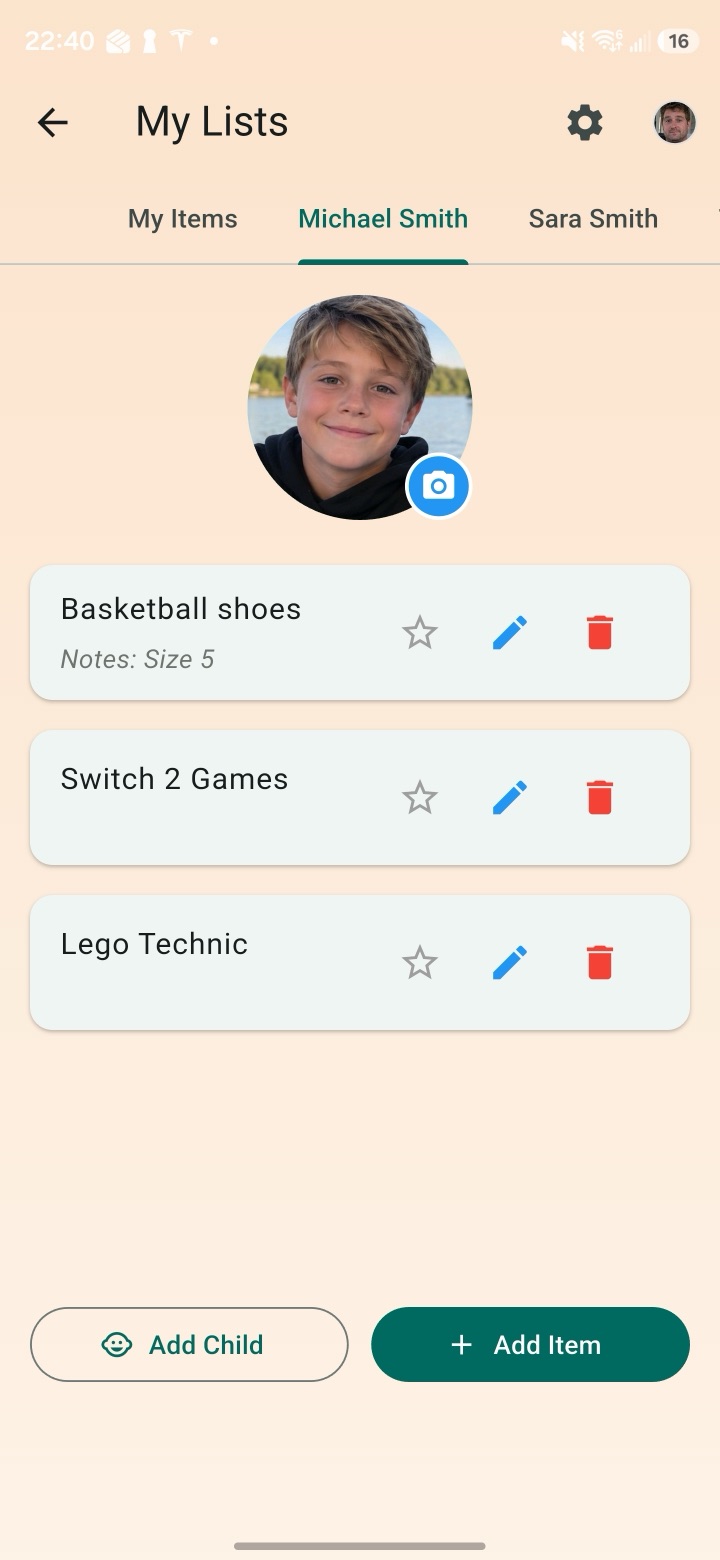
Lists for the little ones.
Parents can create and manage lists for their kids — keeping things age-appropriate and getting grandparents, aunts and uncles all shopping from the same page.
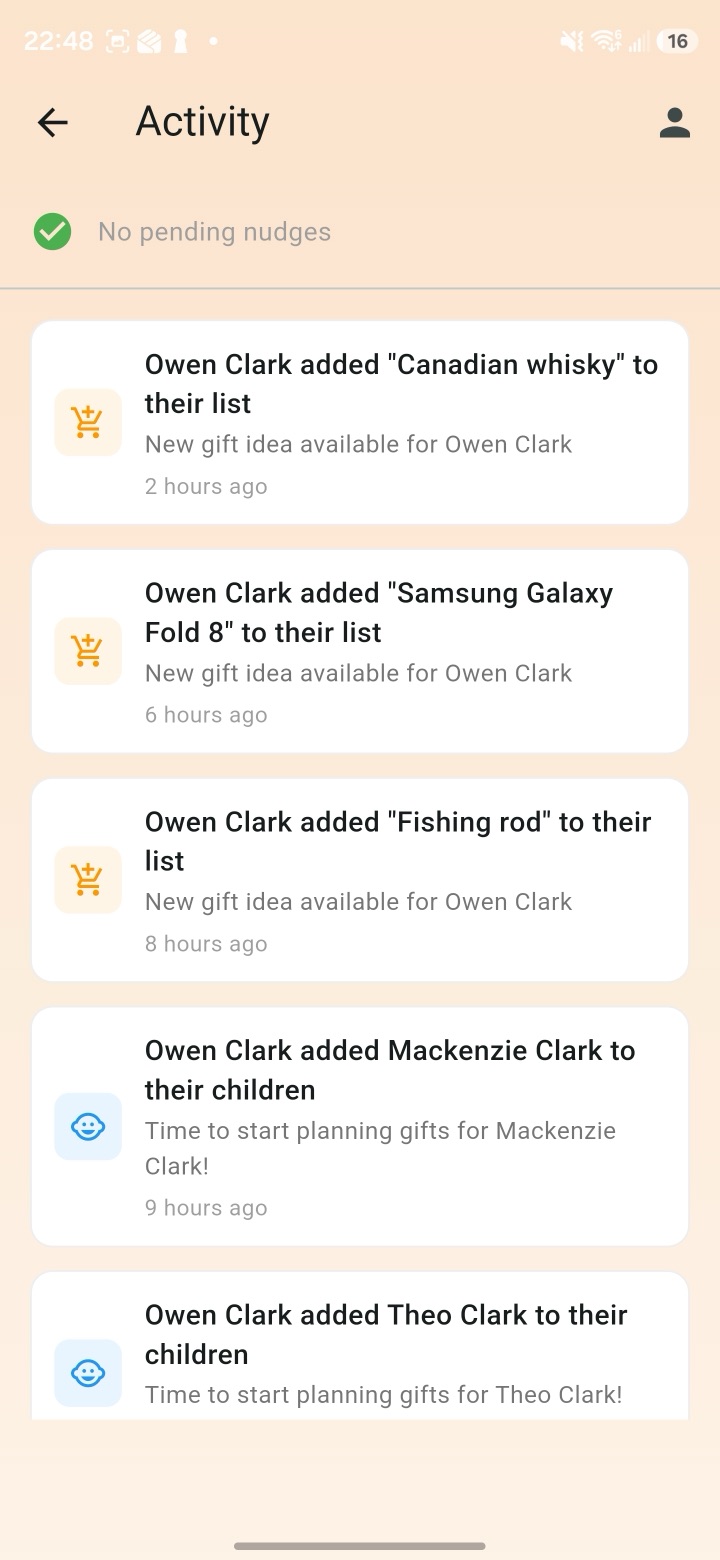
Know what’s happening, without the pings.
The activity feed shows new items, list changes and claims in one place — so everyone stays in the loop without a flood of notifications.
Private by default
Only the members of your groups can see your lists — nothing is public. We don’t sell your personal information for money or give it to data brokers.
Polite nudges
Remind the group when an occasion is close or a list needs attention — without being pushy.
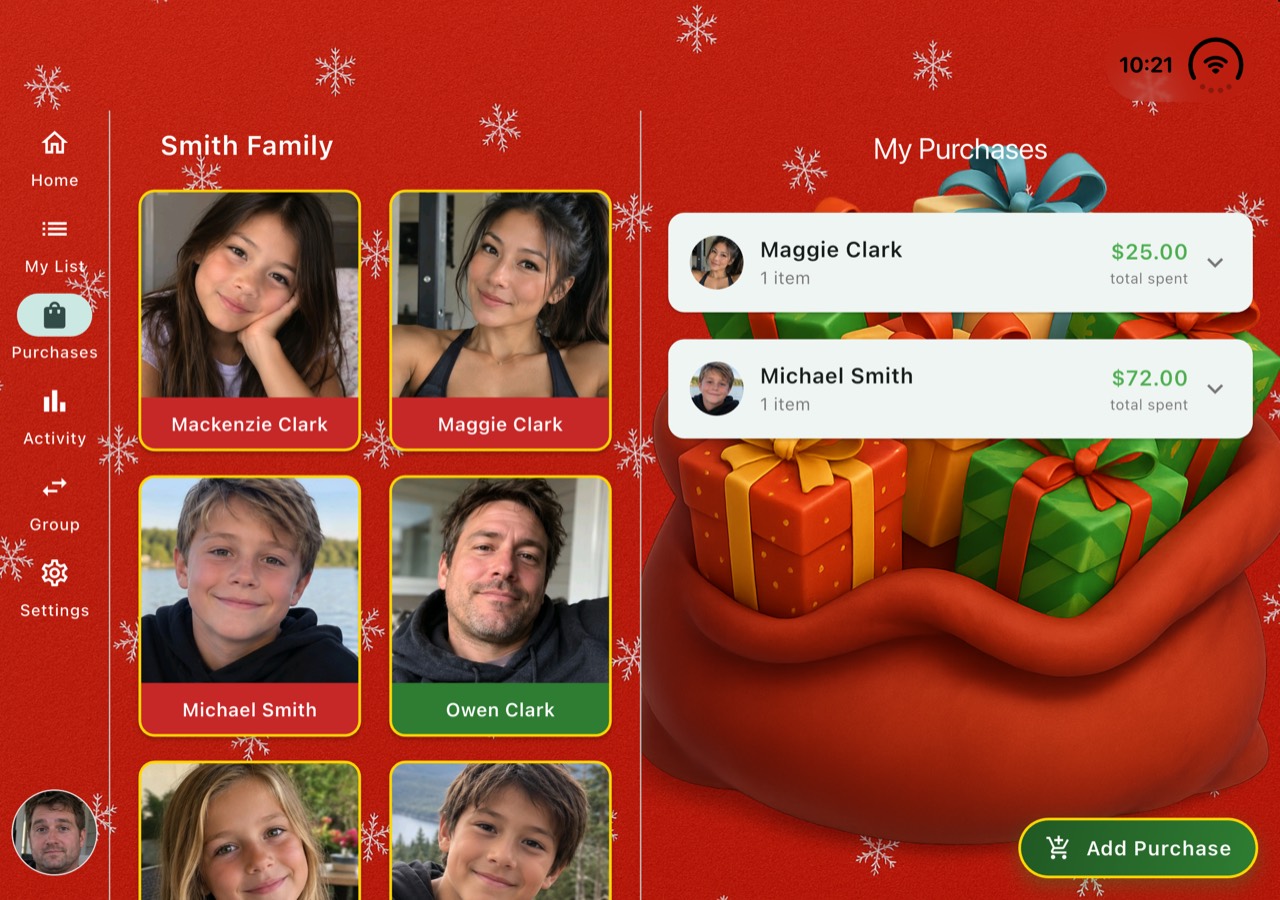
Christmas mode
A festive look for the most gift-heavy season of the year.
For every occasion — and every circle.
- Birthdays
- Christmas
- Secret Santa
- White Elephant
- Weddings
- Baby showers
- Anniversaries
- Graduations
- Office exchanges
- Extended family
Now on iPhone Duo
Made for the big screen, too.
The Giving List isn’t a phone app stretched to fit. Foldables, tablets and desktop windows each get a layout that suits the space.
iPhone Duo
Ready for Apple’s new foldable. Closed, it’s the phone app you know. Open it up and the whole screen is put to work — groups and lists side by side.
Tablets & foldables
iPad, Android tablets and Android foldables get a layout of their own, in both portrait and landscape.
Android desktop & DeX
Run it in a resizable window in Android’s desktop mode or Samsung DeX — the layout adapts as you resize.
Questions, answered.
Can the person whose list it is see what’s been claimed?
No. Claims are hidden from the list’s owner, so the surprise stays intact. Everyone else in the group can see an item is covered, so nobody buys it twice.
How do people join my group?
Share an invite link or code. Once they join, they can see the group’s lists, add their own, and start claiming.
Can I be in more than one group?
Yes. Keep separate groups for family, friends, work, or anyone else — each with its own members and lists.
Can I make lists for my kids?
Yes. Parents can create and manage lists for their children, so grandparents, aunts and uncles all shop from the same page.
Who can see my lists?
Only the members of your groups. Nothing is published on the web, other members never see your email address, and we don’t sell your personal information for money or give it to data brokers. The Privacy Policy has the details.
Is The Giving List free?
Yes. It’s free to download on the App Store and Google Play.
Which devices does it work on?
iPhone, iPhone Duo and iPad from the App Store, and Android phones, tablets and foldables from Google Play. On larger screens — including resizable windows in Android’s desktop mode and Samsung DeX — it switches to a side-by-side layout.
More questions? Visit Giving List support →
Make this the year nobody doubles up.
Download The Giving List and get your people on the same page.